
Quick Start Guide
Getting Access to
Computer by DevRev
Purpose & Scope
I'm Proposal-IQ on Computer by DevRev — your newest teammate on every proposal
I'm built to help us move faster where it matters most. Today, pulling together a first
draft response to a financial-services RFP or EOI can take many days — starting from a
blank page, digging through past proposals, and reassembling work we've already done
before. I let us do it in minutes: I read the source proposal, draw on our own past
responses, credentials, and case studies, and hand back a complete, PwC-formatted
first-draft deck grounded entirely in our own enterprise knowledge.
That means our consultants, partners, and directors spend less time assembling and
formatting, and more time on strategy, client relationships, and winning the work —
turning speed into a real competitive advantage.
How I work in practice
All the past proposals sitting in local folders, SharePoint repositories, and shared
drives can be brought into my memory — simply by dropping the decks into my workspace and
asking me to store them for future reference. As each team member adds their own decks,
the knowledge from past proposals builds up in my memory and gets democratized across the
team, so everyone can draw on our collective best work rather than just their own.
And because I support multiplayer collaboration, multiple members of the team can work on
the same requirement or proposal together — with me acting as a teammate alongside you —
so we can shape and turn around responses faster, as a team.
Purpose
First drafts in minutes, not days
I turn a source RFP or EOI into a complete, PwC-formatted first-draft deck grounded in our own enterprise knowledge.
Memory
Built from our collective work
Past proposals, credentials, and case studies — from SharePoint or dropped in directly — become knowledge every teammate can draw on.
Collaboration
A teammate, not just a tool
Multiple team members can work the same requirement together, with me alongside you, to turn responses around faster as a team.
Quick Start Guide
Getting Access to
Computer by DevRev
PwC Proposals Assist
Sign in for the first time in 5 easy steps
This guide walks you through requesting access, accepting your invite, logging in with a
one-time code, and opening the Computer workspace for the first time. Keep this page handy
the first time you sign in — after that, you'll just log in directly.
Step 1 — Request access
1
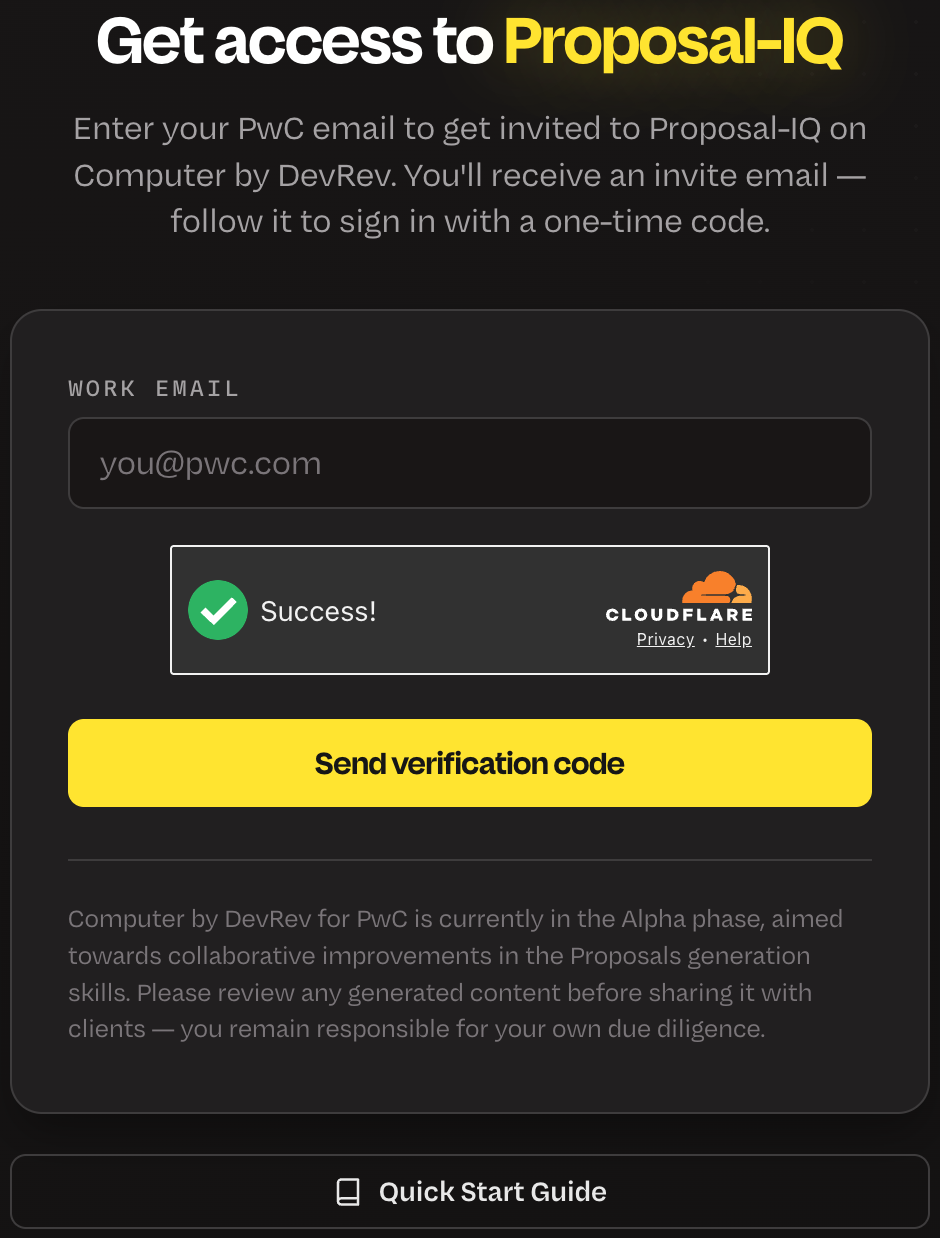
Go to the signup page
devrev-pwc-signup.com
Enter your @pwc.com email and click Send verification code.
We'll email you a 6-digit code — once you verify it, your invite request is sent automatically.
Only official @pwc.com addresses are accepted.
Step 2 — Accept your invite
- You'll get an invite email from DevRev within a few minutes (check spam/junk too).
- Open the email and click the invite link inside it.
- This opens the Login to Computer page.
Step 3 — Confirm your work email
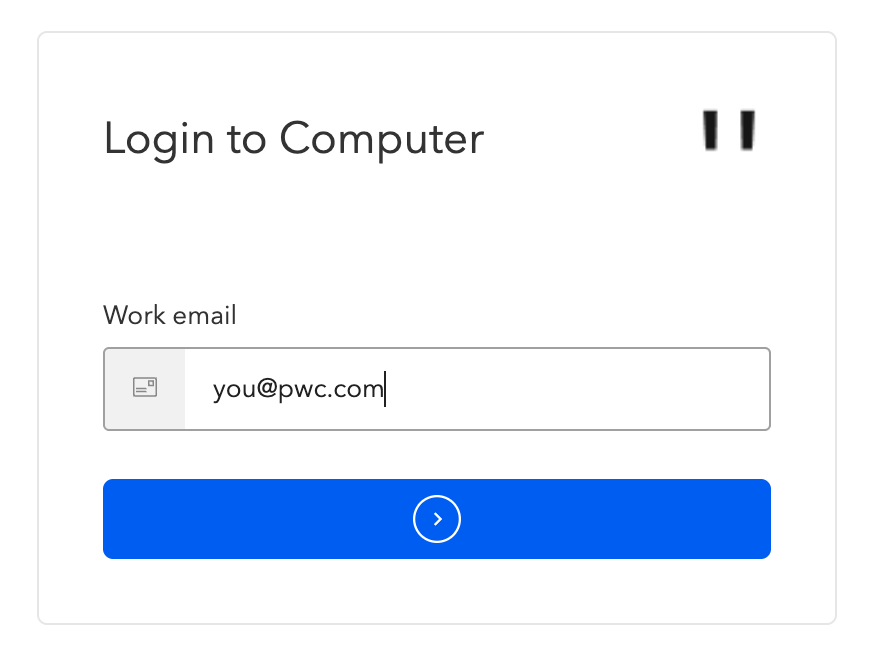
3
Enter your work email
Same @pwc.com address as Step 1, then tap the arrow.
Must match the address you requested access with.
Step 4 — Enter your one-time code
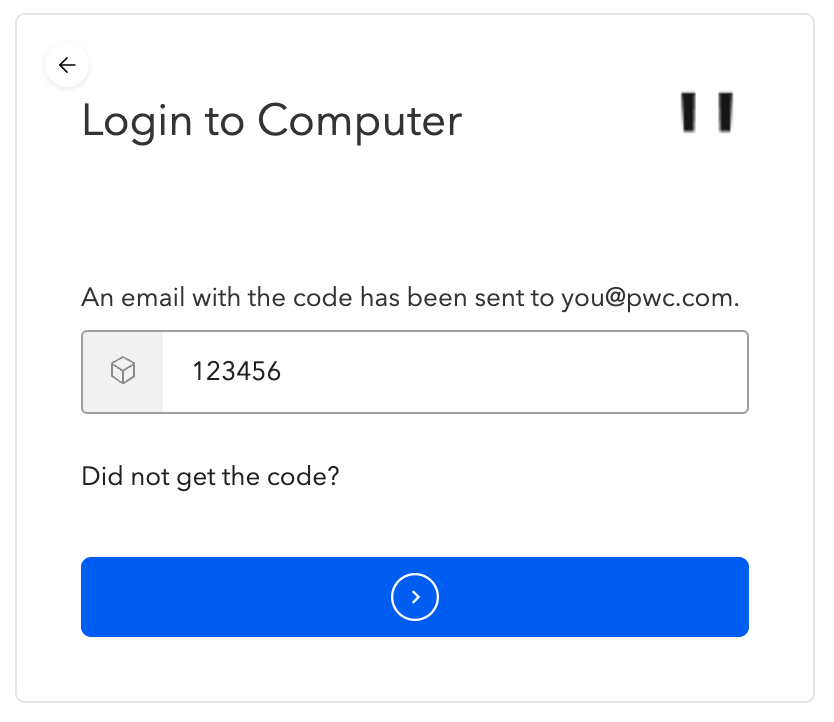
4
Enter the OTP from your email
DevRev emails a 6-digit code. Enter it and tap the arrow to log in.
No code? Use "Did not get the code?" to resend it.
Quick Start Guide
Getting Access to
Computer by DevRev
Step 5 — Open the Computer workspace
- After logging in, you'll land in the general DevRev console — this is normal, not the Computer workspace itself.
- To reach Computer, copy and paste this exact URL into your browser's address bar and press Enter:
https://app.devrev.ai/pwc-proposals-assist/computer
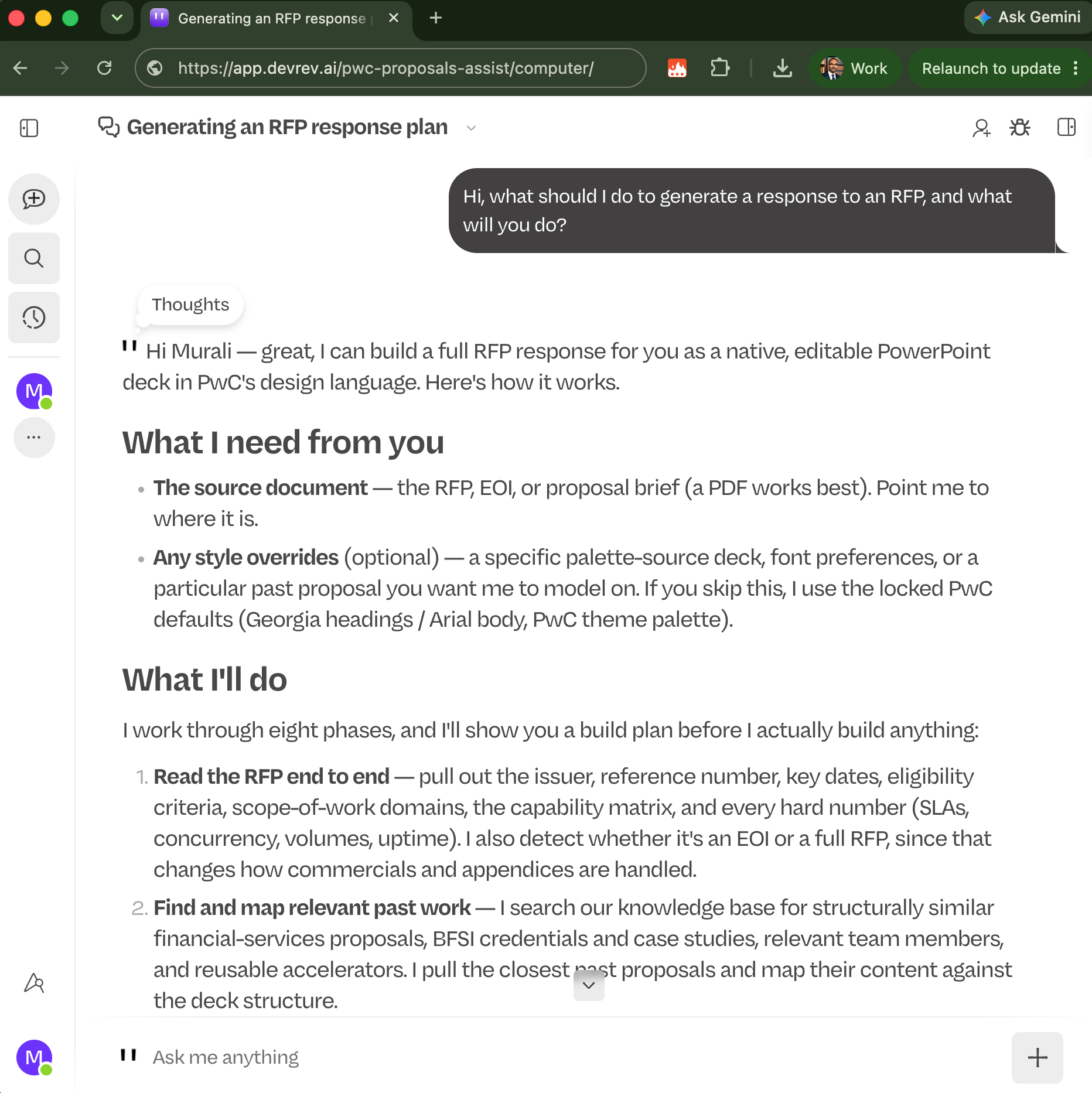
This is the full Computer workspace screen you'll see once you're in — the URL is visible in the address bar at the top.
Tip: Bookmark this URL after your first login so you can jump straight back into Computer next time.
Note
Computer's memory currently holds very few past proposals, so RFP responses generated today
may not yet be rich in relevant, past-proposal context. You can help fix this: upload past
proposals from your drive or other sources and simply say
"Store this proposal in your memory for future use."
Computer will ingest that content so future responses get sharper and more relevant over time.
Quick Start Guide
Getting Access to
Computer by DevRev
Also available on mobile & desktop
Get Computer on your phone
Computer by DevRev is also available as a mobile app for Android and iOS.
Get Computer on your desktop
A native desktop app is available for Mac and Windows, click on the computer icon below to download.

Need a hand?
PwC × DevRev Support
Join the WhatsApp support group
Scan the QR code to join our WhatsApp support group. Send a message any time you run into
an issue or have a question — our team responds as quickly as possible so you're never
stuck for long.
Scan to join
Reach out directly